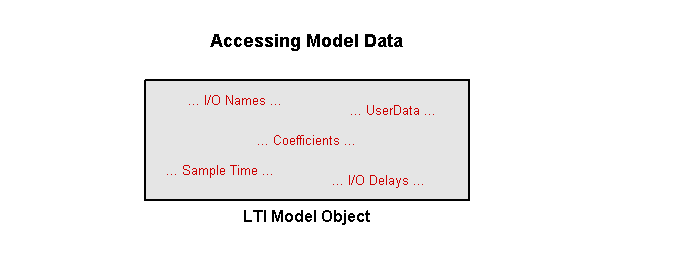
LTI model objects store data in a single MATLAB variable. This data includes the model coefficients (i.e., A,B,C,D matrices of state-space models) as well as other model data, such as the sample time or the input and output names.
There are several ways to access the data:
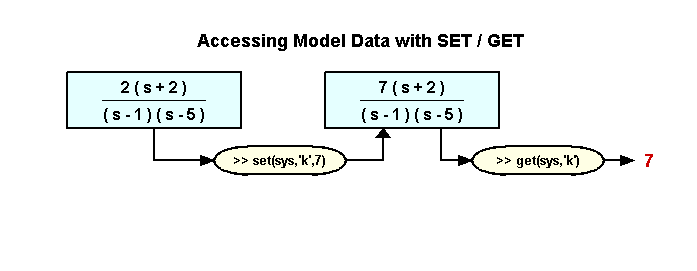
You can use the SET command to modify model data:
>> set(sys,PropertyName,PropertyValue)
Conversely, you can use the GET command to retrieve model data:
>> PropertyValue = get(sys,PropertyName)
The illustration above shows how to use SET and GET to modify and retrieve the gain value of a zero-pole-gain model.
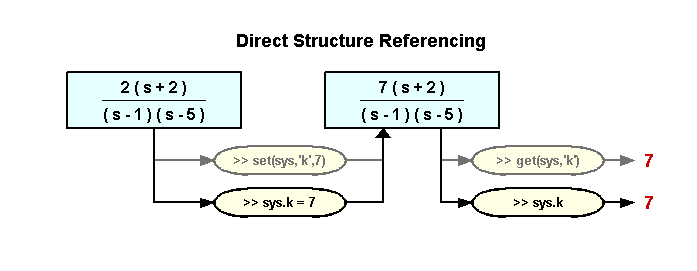
You can also modify and retrieve model data directly by structure referencing:
>> sys.PropertyName = PropertyValue % equivalent to SET
>> PropertyValue = sys.PropertyName % equivalent to GET
The illustration above shows how this technique parallels the use of the SET and GET commands.
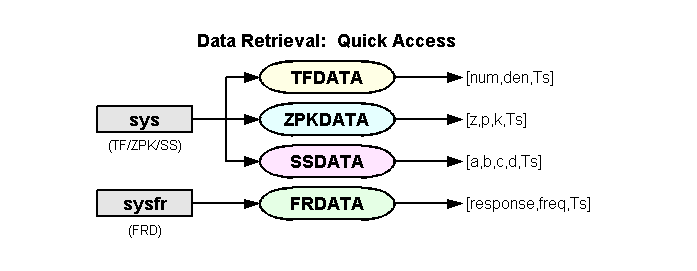
You can quickly retrieve model data with the following commands:
>> [num,den,Ts] = tfdata(sys)
>> [z,p,k,Ts] = zpkdata(sys)
>> [a,b,c,d,Ts] = ssdata(sys)
>> [response,freq,Ts] = frdata(sysfr)
Note that the FRDATA command is specific to FRD models, but you can use TFDATA, ZPKDATA, and SSDATA with any TF, ZPK, or SS model.
The commands TFDATA and ZPKDATA return some of their data (num,den,z,p) in cell arrays in order to facilitate data retrieval for MIMO models and model arrays.
For a single SISO model, you can use a second input argument 'v' to specify that these commands return data in vectors rather than cell arrays:
>> [num,den,Ts] = tfdata(sys,'v')
>> [z,p,k,Ts] = zpkdata(sys,'v')