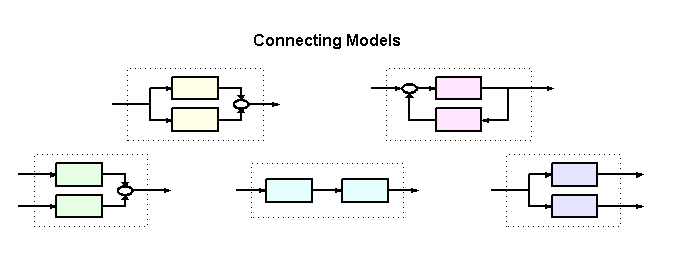
The Control System Toolbox provides a number of functions to help you build complex networks of models. These include functions to perform
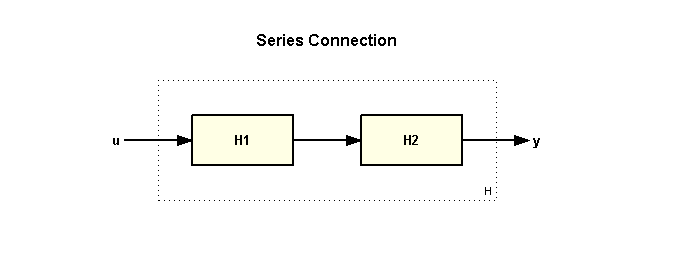
You can connect models H1 and H2 in series using
>> H = series(H1,H2);
A series connection is equivalent to the product of the models:
>> H = H2 * H1;
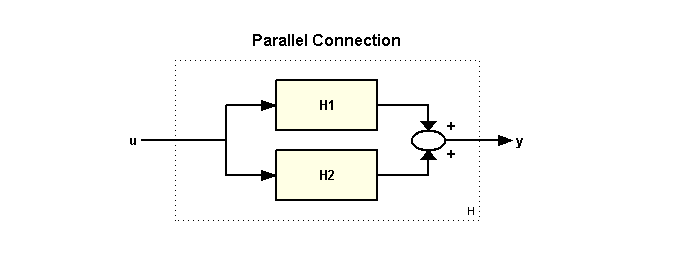
You can connect models H1 and H2 in parallel using
>> H = parallel(H1,H2);
A parallel connection is equivalent to the sum of the models:
>> H = H2 + H1;
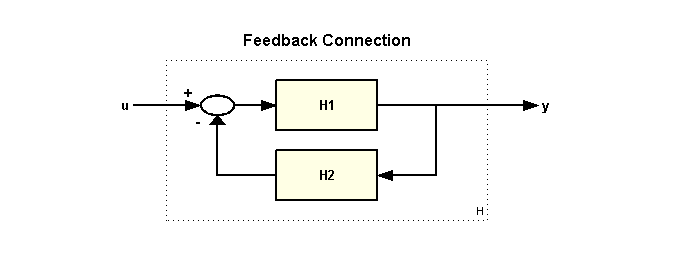
You can connect models H1 and H2 in a feedback configuration using
>> H = feedback(H1,H2);
To apply positive feedback, use the syntax
>> H = feedback(H1,H2,+1);
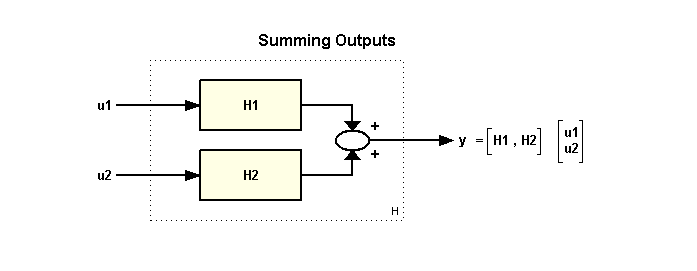
You can sum the outputs of models H1 and H2 using
>> H = [ H1 , H2 ];
In matrix notation, this connection is equivalent to the horizontal concatenation of these models. Note that if H1 and H2 are SISO models, then the concatenated model H is a MIMO model with 2 inputs and 1 output.
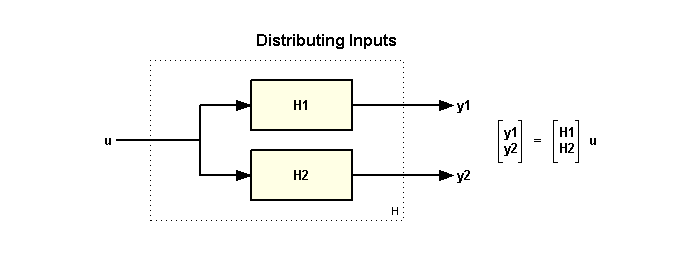
You can distribute inputs to models H1 and H2 using
>> H = [ H1 ; H2 ];
In matrix notation, this connection is equivalent to the vertical concatenation of these models. Note that if H1 and H2 are SISO models, then the concatenated model H is a MIMO model with 1 input and 2 outputs.
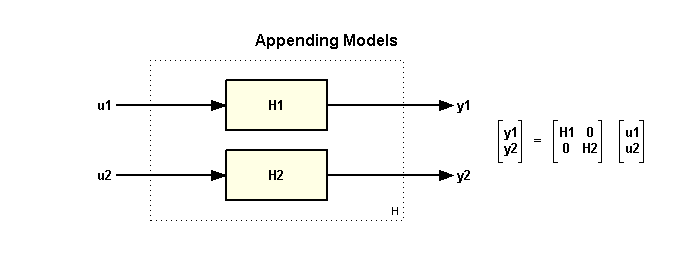
You can append the inputs and outputs of models H1 and H2 using
>> sys = append(H1,H2);
In matrix notation, this connection is equivalent to the block-diagonal concatenation of these models. Note that if H1 and H2 are SISO models, then the concatenated model H is a MIMO model with 2 inputs and 2 outputs.