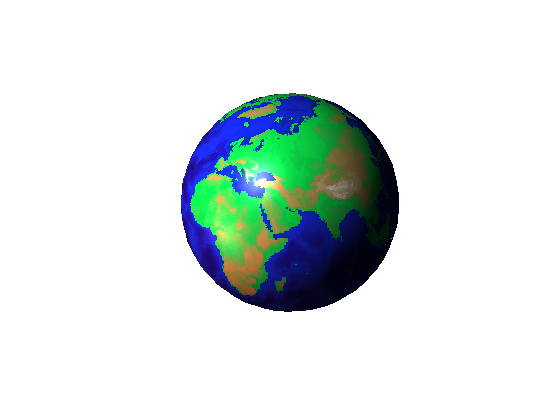
MATLAB can be used to create different kinds of maps. Here, we show ways of representing the topography of the Earth. The topography data used in this demo is available from the National Geophysical Data Center, NOAA US Department of Commerce under data announcement 88-MGG-02.
The data is stored in a MAT file called topo.mat. The variable topo contains the altitude data for the Earth. topomap1 contains the colormap for the altitude.
load('topo.mat','topo','topomap1');
whos topo topomap1
  Name           Size                    Bytes  Class

  topo         180x360                  518400  double array
  topomap1      64x3                      1536  double array

Grand total is 64992 elements using 519936 bytes
CONTOUR creates a contour plot of the Earth from this data. Here, we are producing a contour based on points on the map that have zero altitude. What you thus see is an outline of the continents.
contour(0:359,-89:90,topo,[0 0],'b')
axis equal
box on
set(gca,'XLim',[0 360],'YLim',[-90 90], ...
    'XTick',[0 60 120 180 240 300 360], ...
    'Ytick',[-90 -60 -30 0 30 60 90]);
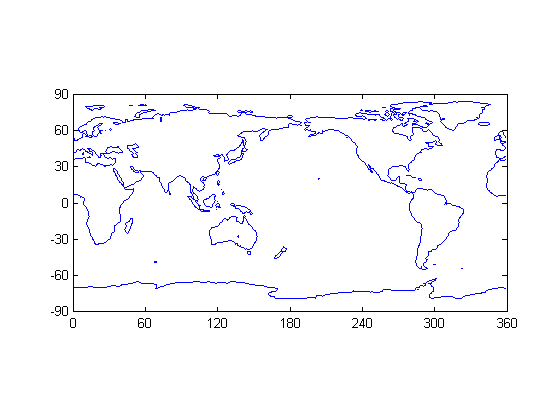
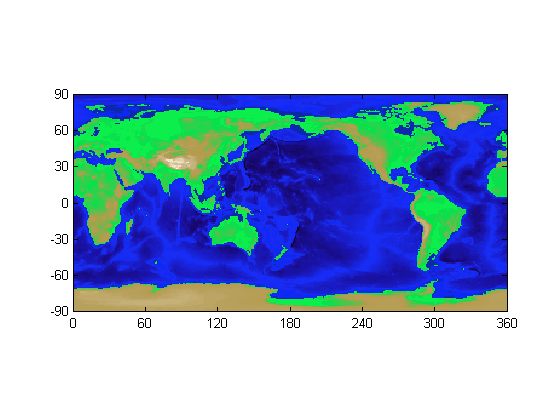
IMAGE creates a 2-D image plot from the data in topo and topomap1. You can see the elevation information in this figure. Here, altitudes correspond to shades of green, while depths (below sea level) correspond to shades of blue.
hold on
image([0 360],[-90 90],topo,'CDataMapping', 'scaled');
colormap(topomap1);
The globe!
The SPHERE function returns x,y,z data that are points on the surface of a sphere (50 points in this case). Observe the altitude data in topo mapped onto the coordinates of the sphere contained in x, y and z. Two light sources illuminate the globe.
[x,y,z] = sphere(50);

cla reset
axis square off
props.AmbientStrength = 0.1;
props.DiffuseStrength = 1;
props.SpecularColorReflectance = .5;
props.SpecularExponent = 20;
props.SpecularStrength = 1;
props.FaceColor= 'texture';
props.EdgeColor = 'none';
props.FaceLighting = 'phong';
props.Cdata = topo;
surface(x,y,z,props);
light('position',[-1 0 1]);
light('position',[-1.5 0.5 -0.5], 'color', [.6 .2 .2]);
view(3)