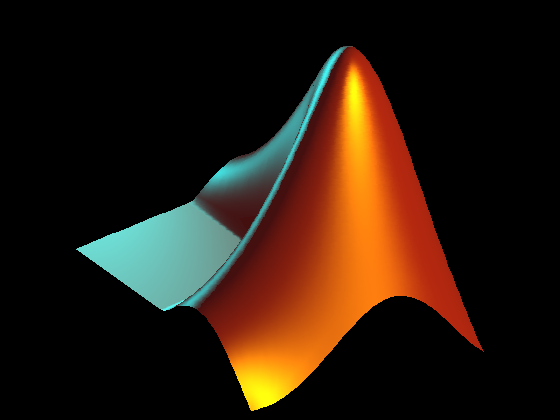
Plot the L-shaped membrane logo with MATLAB lighting.
L = 40*membrane(1,25);

set(gcf,'Color',[0 0 0]);
axes('CameraPosition', [-193.4013 -265.1546  220.4819],...
    'CameraTarget',[26 26 10], ...
    'CameraUpVector',[0 0 1], ...
    'CameraViewAngle',9.5, ...
    'DataAspectRatio', [1 1 .9],...
    'Position',[0 0 1 1], ...
    'Visible','off', ...
    'XLim',[1 51], ...
    'YLim',[1 51], ...
    'ZLim',[-13 40]);
s = surface(L, ...
    'EdgeColor','none', ...
    'FaceColor',[0.9 0.2 0.2], ...
    'FaceLighting','phong', ...
    'AmbientStrength',0.3, ...
    'DiffuseStrength',0.6, ...
    'Clipping','off',...
    'BackFaceLighting','lit', ...
    'SpecularStrength',1.1, ...
    'SpecularColorReflectance',1, ...
    'SpecularExponent',7, ...
    'Tag', 'TheMathWorksLogo');
l1 = light('Position',[40 100 20], ...
    'Style','local', ...
    'Color',[0 0.8 0.8]);
l2 = light('Position',[.5 -1 .4], ...
    'Color',[0.8 0.8 0]);