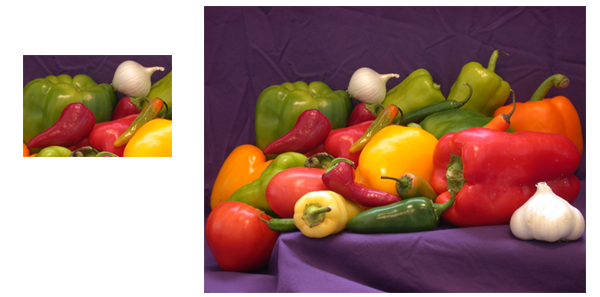
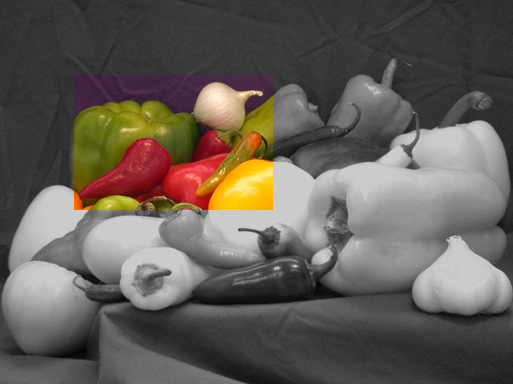
onion = imread('onion.png');
peppers = imread('peppers.png');

imshow(onion)
figure, imshow(peppers)
Registering an Image Using Normalized Cross-Correlation
Sometimes one image is a subset of another. Normalized cross-correlation can be used to determine how to register or align the images by translating one of them.
| Key concepts: |
|
| Key functions |
normxcorr2, max, ind2sub |
Overview of Demo
The demo includes these steps:
Step 1: Read Images
onion = imread('onion.png');
peppers = imread('peppers.png');
imshow(onion)
figure, imshow(peppers)
Step 2: Choose Subregions of Each Image
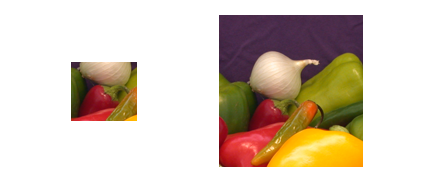
It is important to choose regions that are similar. The image sub_onion will be the template, and must be smaller than the image sub_peppers. You can get these sub regions using either the non-interactive script below or the interactive script.
% non-interactively
rect_onion = [111 33 65 58];
rect_peppers = [163 47 143 151];
sub_onion = imcrop(onion,rect_onion);
sub_peppers = imcrop(peppers,rect_peppers);

% OR

% interactively
[sub_onion,rect_onion] = imcrop(onion); % choose the pepper below the onion
[sub_peppers,rect_peppers] = imcrop(peppers); % choose the whole onion

% display sub images
figure, imshow(sub_onion)
figure, imshow(sub_peppers)
Step 3: Do Normalized Cross-Correlation and Find Coordinates of Peak
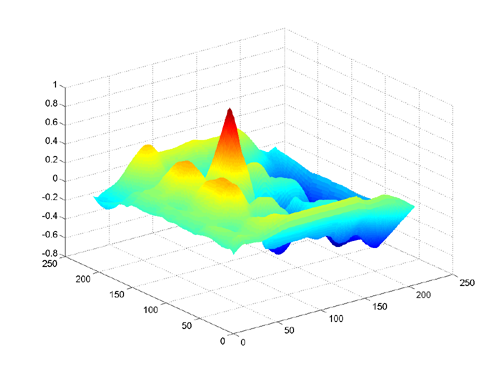
Calculate the normalized cross-correlation and display it as a surface plot. The peak of the cross-correlation matrix occurs where the sub_images are best correlated. normxcorr2 only works on grayscale images, so we pass it the red plane of each sub image.
c = normxcorr2(sub_onion(:,:,1),sub_peppers(:,:,1));
figure, surf(c), shading flat
Step 4: Find the Total Offset Between the Images
The total offset or translation between images depends on the location of the peak in the cross-correlation matrix, and on the size and position of the sub images.
% offset found by correlation
[max_c, imax] = max(abs(c(:)));
[ypeak, xpeak] = ind2sub(size(c),imax(1));
corr_offset = [(xpeak-size(sub_onion,2))
               (ypeak-size(sub_onion,1))];

% relative offset of position of subimages
rect_offset = [(rect_peppers(1)-rect_onion(1))
               (rect_peppers(2)-rect_onion(2))];

% total offset
offset = corr_offset + rect_offset;
xoffset = offset(1);
yoffset = offset(2);
Step 5: See if the Image Onion Was Extracted from the Image Peppers
Figure out where onion falls inside of peppers.
xbegin = round(xoffset+1);
xend   = round(xoffset+ size(onion,2));
ybegin = round(yoffset+1);
yend   = round(yoffset+size(onion,1));

% extract region from peppers and compare to onion
extracted_onion = peppers(ybegin:yend,xbegin:xend,:);
if isequal(onion,extracted_onion)
   disp('onion.png was extracted from peppers.png')
end
Step 6: Pad the Onion Image to the Size of the Peppers Image
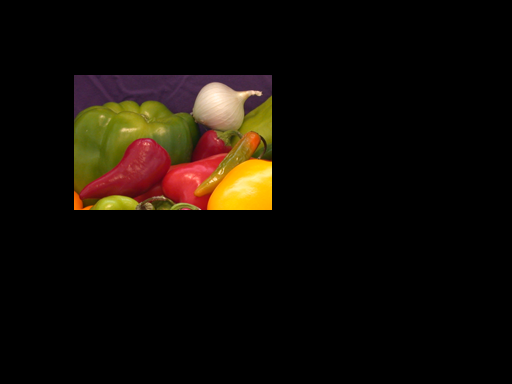
Pad the onion image to overlay on peppers, using the offset determined above.
recovered_onion = uint8(zeros(size(peppers)));
recovered_onion(ybegin:yend,xbegin:xend,:) = onion;
figure, imshow(recovered_onion)
Step 7: Transparently Overlay Onion Image on Peppers Image
Create transparency mask to be opaque for onion and semi-transparent elsewhere.
[m,n,p] = size(peppers);
mask = ones(m,n);
i = find(recovered_onion(:,:,1)==0);
mask(i) = .2; % try experimenting with different levels of
              % transparency

% overlay images with transparency
figure, imshow(peppers(:,:,1)) % show only red plane of peppers
hold on
h = imshow(recovered_onion); % overlay recovered_onion
set(h,'AlphaData',mask)